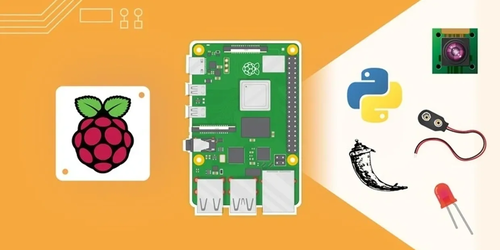
Raspberry Pi Full Stack Course
Enroll Now
(No payment required)

Course Contents

What Will I Learn?

  • Setup the minimal Raspbian operating system to the RPi
  • Install the a Python virtual environment
  • Install and use Flask, a Python-based web micro-framework
  • Install and use uWSGI as the application server for Flask
  • Install and use Nginx light-weight web server
  • Use the RPi GPIOs as digital input and outputs
  • Use a DHT22 humidity and temperature sensor
  • Install and use the SQLite database
  • Use the Google Chart API to create visual representations of the sensor data
  • Use JQuery to add interactivity to web pages
  • Use Plotly for graphical analysis of sensor data
  • Install and configure a USB Wifi adaptor for your RPi

Requirements

  • A Raspberry Pi, any version
  • A Windows, Mac or Linux computer
  • A DHT11 or DHT22 sensor
  • An 5mm LED
  • Resistors
  • A breadboard and jumper wires
  • Access to the Internet
  • A USB Wifi dongle, if available

Who is the Target Audience?

  • Some experience in programming is useful
  • Python, Javascript (jQuery) and HTML is used throughout the course and some familiarity with basic programming concepts is expected
  • Ability to wire electronics
  • Ability to do independent research using online resources

Introduction to the Course

  • Introduction
  • About the Raspberry Pi
  • Components
  • Detailed List of Components you will need

The Operating System

  • Section Introduction
  • How to extract a tar.gz file
  • Installing mini Raspbian using Mac OS X
  • Installing mini Raspbian using Windows

Python and GPIOs

  • Section Introduction
  • Setup Python
  • GPIO basics
  • Make an LED blink
  • Read the status of a button
  • Read temperature and humidity from a digital sensor

Setup the Web Application Stack

  • Section Introduction
  • What is the Web application stack?
  • Install Nginx, the Web server
  • Install Flask and venv
  • Install uWSGI
  • Setup Upstart
  • About log files
  • Serving static assets and Skeleton
  • Styling our Web application with Skeleton
  • Debugging a Flask application

Building a Simple Flask Application on the Raspberry Pi

  • Section Intro
  • Show DHT22 sensor data in the browser
  • Install the SQLite3 database
  • Use a Python script to store sensor reading to the database
  • Automate sensor data logging with cron and SQLite3
  • Show historical sensor data in the browser

Improving Our Application with Date-Time Range Record Selector

  • Section Introduction
  • Selecting historical sensor data records with a time-date range
  • Define a date-time range in the URL
  • Timezones in Rasbian
  • Validating timestamps
  • Tidying up: refactor our application code

Improving the User Interface

  • Section Introduction
  • Adding date range radio buttons
  • Visualise sensor data with Google Charts
  • Install a datetime picker widgets
  • Setting up the datetime picker widget
  • Setting up time zones on the client side
  • Setting up time zones on the server side
  • Link the two pages of the application

Setup Cloud Charting and Analysis with Plotly

  • Section Introduction
  • Setup Plotly
  • Add Plotly links
  • Add Plotly support to the Flask application script

Other Useful Things to Know

  • Install and configure a Wifi USB dongle for wireless networking

Course Schedule

Overall Duration: 6 to 8 Weeks

Weekday: 1 hour per day (Mon-Fri)

Weekend: 2 hours per day (Sat-Sun)

Available Languages: English, Tamil

Mode of Learning: Live Online Meet

We undertake class training room sessions for students/professionals at your premises over weekend

Certification available

To know about training batch slot availability and fees, enquire now

Enroll Now
(No payment required)